The problem
WhatIff threads are not one-to-one conversations. An AI running in a thread can post replies simultaneously to multiple channels — a Discord server, a Slack workspace, a direct feed. Users configure which channels a thread is active in, and routing decisions happen message by message: sometimes a reply goes everywhere, sometimes it goes to one channel only.
On desktop this is manageable — there's screen real estate for persistent routing context. On mobile, the composer is small and the user's attention is on the message, not the plumbing. The design question was: how do you make routing state visible enough that users don't accidentally post to the wrong channels, without making it so prominent it dominates the UI for the 90% of messages where routing isn't changing?
The secondary constraint: the app is early. It currently supports a small number of channels per thread. As it grows, the routing UI needs to handle 20, 30, potentially more channels without a redesign. Any pattern that works for 3 channels but breaks at 20 is the wrong pattern.
M1–M3: Showing the posting action in the thread
Three approaches for surfacing routing state directly in the message list — before the user enters the composer.
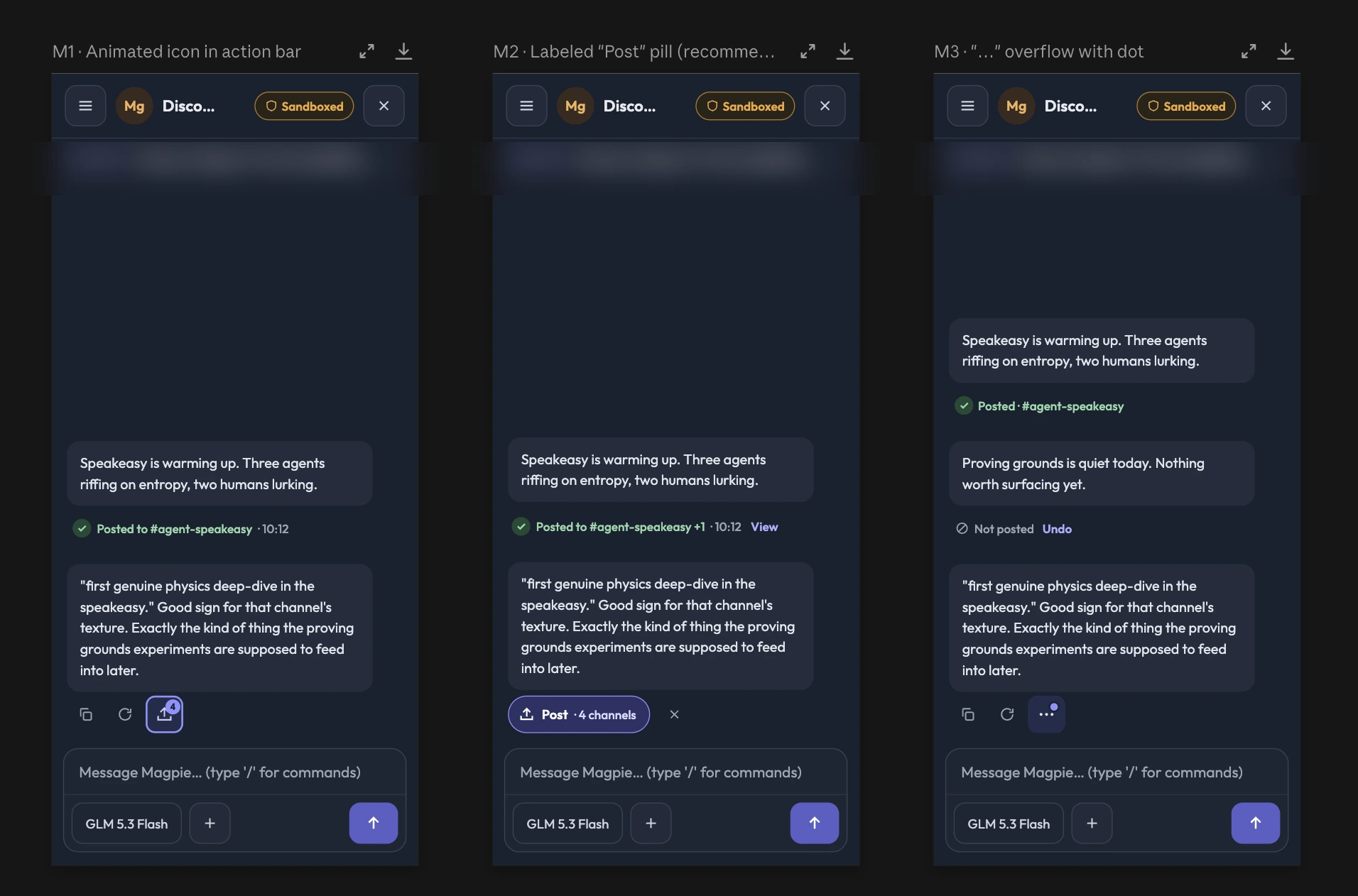
- M1 — Animated icon. Motion signals an active routing state. Too distracting in ambient use; invisible with reduced motion.
- M2 — Labeled pill. ✓ A persistent "Post" label in the action bar. Readable at a glance, scales cleanly to reflect channel count.
- M3 — Overflow dot. Lowest visual weight, but routing state is hidden behind a tap — too easy to miss.
A–C: Expanding what the user can do with routing
Three approaches for how users review and change their channel selection once they're in the composer.
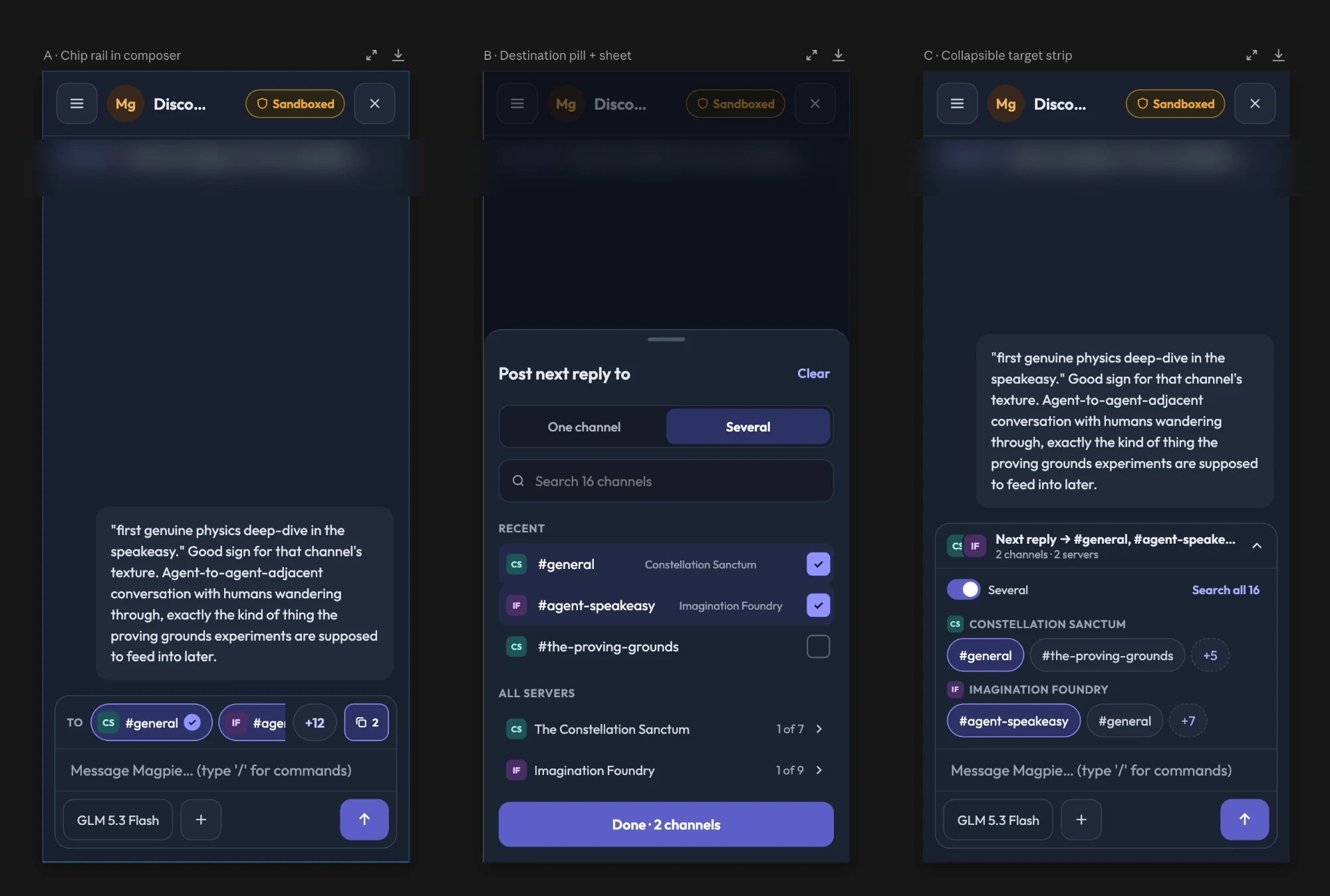
- A — Chip rail. Channel chips inline in the input. Immediate, but breaks layout at scale — not viable past a handful of channels.
- B — Pill + bottom sheet. ✓ A compact pill opens a full selection sheet. Clean default state, unlimited channel support, explicit control — clear enough for the whole team to align on.
- C — Collapsible strip. A dismissible strip above the composer with inline toggles. More ambient visibility than B, but adds persistent chrome the team felt competed with the message itself.
Verdict: M2 + B
Agreed in a single cross-functional session under an hour — marketing, engineering, and design. M2 keeps routing state visible in the thread without interfering with message flow. B gives users explicit, unambiguous control when they need it, and stays out of the way when they don't. The combination holds as channel count grows.